
CCTV for Farms: What Should You Monitor on Waikato Properties?
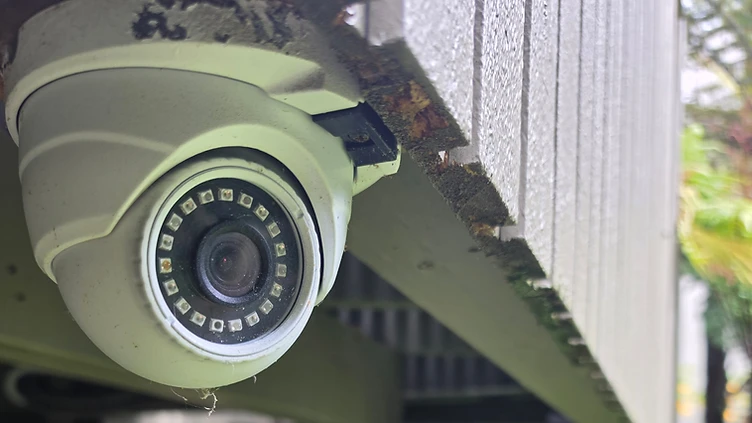
Practical guidance for Waikato farmers and lifestyle block owners on what to monitor with CCTV, and how to handle distance, power and connectivity.
Farms and lifestyle blocks around Hamilton and the wider Waikato present different challenges to a standard home or business installation. Buildings are spread out, power and internet aren't always close at hand, and there's usually more ground - and more valuable gear - to keep an eye on than a typical suburban section. This guide looks at what's commonly monitored on rural properties and the practical issues that come up when planning a system.
Why Rural Properties Need a Different Approach
A lifestyle block or working farm rarely has one obvious "front door" to cover. Instead there might be a house, a couple of sheds, a workshop, a set of gates, and stock yards scattered across several hundred metres. Each of these areas has its own cabling, power and line-of-sight considerations, so a system that works well for a townhouse often won't translate directly to a rural property without some rethinking.
Distance is usually the first thing an installer has to work around. Running cable from a house to a shed 100 metres away is a very different job to wiring a camera above a front door. The second challenge is connectivity - rural broadband and cellular coverage can vary a lot across the Waikato, even between neighbouring properties, so it pays to understand what's actually available at your address before deciding what the cameras should do.
Areas Commonly Monitored on Farms and Lifestyle Blocks
Every property is different, but there are a few areas that come up again and again when rural clients talk to an installer about where to focus.
Yards, Sheds and Workshops
Sheds and workshops often store the most expensive gear on the property - tools, machinery, parts and sometimes vehicles - so these buildings are a common starting point. A camera covering the main access point or roller door gives a general view of who's coming and going, while a second camera inside can cover a workbench or storage area if that's a priority.
Gates and Access Points
Main gates and driveway entrances are useful to monitor simply because most activity on the property passes through them at some point. A camera here won't tell you who someone is from a distance, but it does give a record of vehicle and foot traffic at the property boundary, which some owners find useful alongside other monitoring.
Stock Areas and Yards
Calving sheds, stock yards and loading areas are sometimes covered too, particularly where owners want a general view of animals overnight or during calving season without having to walk out in the dark. This is more about convenience and peace of mind than anything else - a camera gives you a look from the house or your phone before deciding whether a trip outside is needed.
Fuel and Equipment Storage
Fuel tanks, chemical stores and equipment sheds are often flagged as priority areas, partly because they tend to be the most remote buildings on the property and the easiest to overlook. A camera on these areas is generally paired with reasonable lighting, since most cameras need some ambient or infrared light to produce a genuinely useful picture at night.
Distance, Cabling and Power on Rural Sites
Once you know which areas matter most, the practical side of getting cable and power to each location becomes the main planning task. Wired cameras using PoE (Power over Ethernet) are generally the preferred option on rural properties because a single CAT5 or CAT6 cable carries both power and video to the camera. That means there's no need for a separate power point near a shed or gate, and the camera isn't dependent on Wi-Fi signal, which can be patchy around steel buildings, trees and open paddocks.
The trade-off is that cable runs on a farm are often much longer than in a suburban home, and may need to cross driveways, fence lines or open ground. This can mean additional conduit, trenching or aerial runs, all of which affect the cost and time of an installation. Where a building is a long way from the house or there's no existing power nearby, your installer will usually need to look at options such as a dedicated power supply at the shed, a wireless data link between buildings, or extending the network from the house in stages rather than doing everything at once.
Networking and Internet Connectivity
Internet connectivity is often the trickiest part of a rural CCTV project, simply because it varies so much from one property to the next. Some Waikato properties have good fibre or fixed wireless broadband, while others rely on satellite or weaker rural connections. This matters mainly for remote viewing - checking cameras on your phone from town or further afield - rather than for the recording itself, since footage is normally stored locally rather than sent to the internet continuously.
If your internet connection is slow or unreliable, it's worth discussing this with your installer early on, as it may affect how many cameras can be viewed remotely at once, or how clear the live image looks when you're checking in from outside the property. It's also worth checking whether mobile coverage is strong enough at the property to use a phone-based app as a backup if the home broadband drops out, which does happen from time to time in more remote parts of the region.
Recording and Storage: Keeping Footage on Site
Most rural CCTV systems record to a local NVR (network video recorder) and hard drive on site, rather than relying on a cloud subscription. This has a couple of practical benefits on a farm: footage stays accessible even if the internet connection is down, and there's no ongoing cloud storage cost to factor in. The trade-off is that the NVR and hard drive need to be kept somewhere reasonably secure and protected from dust, moisture and temperature extremes, which rules out leaving it sitting in an open shed.
For example, 2E Electrical's TVT-4CHNVR-2CAMKIT-AI-6MP system - "From $1,855 incl GST" - includes a 4-channel NVR, two 6MP PoE AI cameras, a 2TB hard drive, CAT5/6 camera cabling and a wired connection to your existing modem or router, supplied and installed as a standard setup. The 4-camera version, kit code TVT-4CHNVRKIT-AI-6MP, is "From $2,600 incl GST" with the same inclusions and two extra cameras. Prices are based on a standard installation and include GST. Final pricing is subject to site assessment, and additional charges may apply for extended cable runs, difficult access, additional network equipment or non-standard installation requirements - all of which are more likely on a spread-out rural property than a compact suburban one.
Both kits use a 4-channel NVR even in the 2-camera configuration, which leaves room to add cameras later as budget allows, without having to replace the recorder. This staged approach suits a lot of farms, where it often makes sense to cover the highest-priority buildings first and expand coverage over time.
Choosing the Right System and Questions to Ask
Before getting quotes, it helps to walk the property and list the buildings and access points that matter most, roughly how far each one is from the house or nearest power source, and whether there's existing network cabling anywhere on site. This makes it much easier for an installer to give you an accurate picture of what's involved.
When talking to a potential installer, reasonable questions include:
- How will cable be run between buildings, and what happens if the distance is longer than standard?
- What happens to recording and remote viewing if the internet connection drops out?
- Is the system expandable later, or would adding cameras mean replacing the recorder?
- What lighting, if any, is needed for cameras covering sheds, gates or yards at night?
- Where will the NVR and hard drive be housed, and is that location suitable long term?
Rural CCTV is rarely a one-size-fits-all job, and what's right for a small lifestyle block with one shed will look quite different from a working farm with multiple buildings and stock areas. If you're weighing up options for your own property, it's worth looking at Rural CCTV for an idea of how these systems are typically set up on Waikato farms, or comparing it with Home CCTV if your main interest is the house itself. If you already have a basic system and want to extend coverage to other buildings, CCTV Upgrades covers how existing setups can often be built on rather than replaced. For a site-specific assessment, it's best to contact the team and talk through what your property actually needs.
FAQs
No, most rural systems record locally to an NVR and hard drive on site, so recording continues even if the internet connection is down. Internet access is mainly needed for remote viewing on your phone or computer, which depends on the broadband or mobile coverage available at your property.
This depends on the specific property, the cabling route available and whether power is already nearby. Longer distances are achievable but usually involve additional cable, conduit or sometimes a wireless link, which an installer can assess on site.
Often yes, provided the NVR has spare channels. For example, systems built around a 4-channel NVR can have cameras added later without needing to replace the recorder, though cabling and power still need to be run to each new location.
Longer cable runs between buildings, difficult access, additional network equipment and the need for extra power supplies at remote sheds or gates can all add to the cost of a rural installation compared with a compact suburban property.